
If you’re using an evergreen email sequence over a longer period of time, for example when you have an evergreen newsletter, you may want to prevent these emails from sending while you’re launching one of your offers, so in this quick tutorial I will show you how to pause an email sequence in ConvertKit.
In which circumstances would you use this tutorial?
One of the best ways to make sure that your subscribers are regularly getting good content from you, is to set up an evergreen email sequence that sends out a Newsletter every single week automatically.
This means, once someone joins your list, they will get emails from you every week until you run out, and you don’t manually have to write a Newsletter if you don’t want to.
But, when you’re launching a new offer you may NOT want to be sending this sequence to people for a period of time.
But you also DO NOT want them to leave the automation or to start again from the beginning – and in this case, this tutorial will solve your problem – and it’s REAALLY simple too.
How to temporarily stop an email sequence from sending in ConvertKit
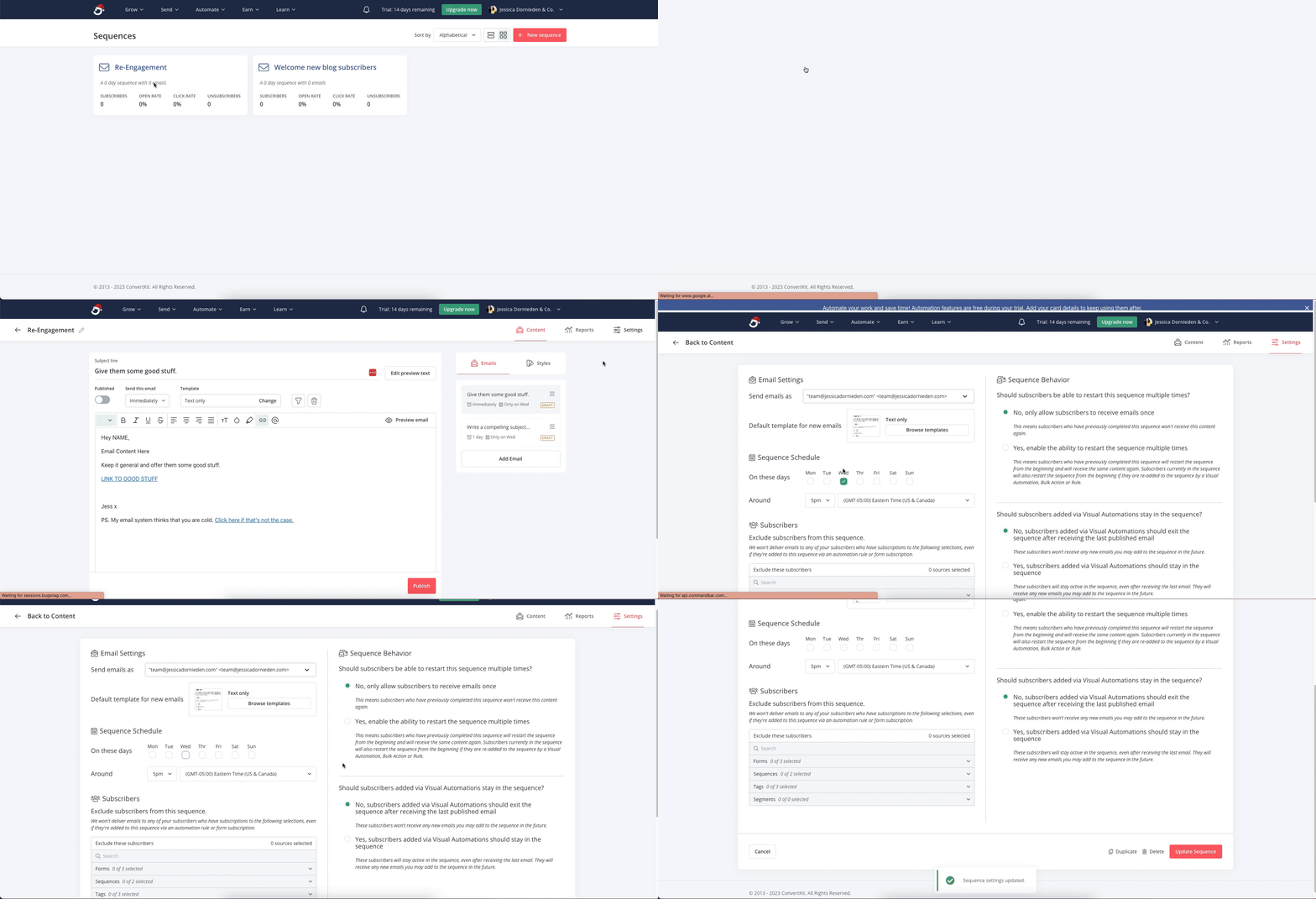
Each and every single sequence in ConvertKit has 2 screens.
One to write your emails and one to adjust the settings of your sequence.
You’ll want to navigate to the settings of your sequence that you want to pause and then simply untick all of the sending days, so it doesn’t send.
Then when your launch is finished, make a note to go back in there and turn it back on.
Here is what that looks like:


0 Comments