
If you’re stuck between TidyCal vs Calendly for your Online Scheduling App of choice, then this article is for you.
If you have booked an appointment with me over the last few years you know that I have been a Calendly user for the longest time, however since I run multiple businesses the cost for Calendly has steadily been going up and I am a die hard fan of regularly reviewing your software to make sure you get the most out of it.

So needless to say when TidyCal’s lifetime deal appeared in front of my face yet AGAIN, I had to check it out – and I’m sharing my findings with you, so let’s see TidyCal vs Calendly, what do I as a tech and systems person of 7 years think?
Prefer Video? No Problem!
What is an Online Scheduler and who needs one?
Let’s go back to basics for the new folks.
TidyCal and Calendly are both online schedulers. They are NOT the only ones out there, so there are other alternatives too.
Online Schedulers are an absolute must-have for any online business owner that organises meetings whether with their team or (potential) clients. There is literally nothing worse than needing to go back and forth to figure out an appointment time and then manually sending reminders to people to make sure they show up.
And an online scheduling tool fixes all of this stuff!
Why use an online scheduler?
There are so many reasons why an online scheduler has been a non-negotiable for me in my business for the last 7 years.
Let people book calls from your website with ease
I want to make it easy for people to speak to me, whether that is potential clients or collaborators, so having a direct link to book with me is a massive time-saver.

Sell paid appointments
I sell all of my services via calendared appointments, so for me it’s absolutely essential that my calendar app works. People can book VIP Days, Day Rates and Strategy Sessions as and when they need it, without me having to facilitate it.
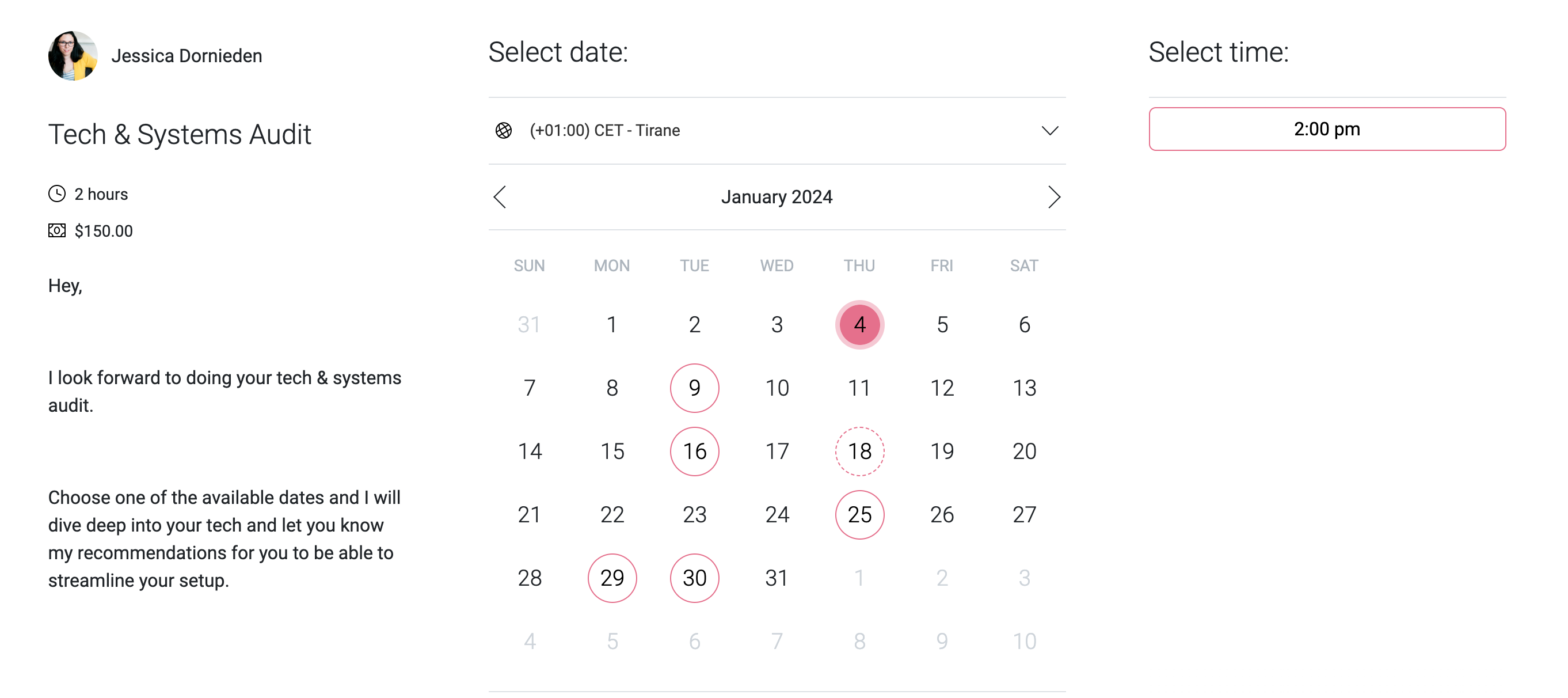
Automatic Appointment Reminders
People are busy, and if they’ve booked an appointment with you 2 weeks ago, they may have simply forgotten about it, so automatic appointment reminders have drastically reduced the number of no-shows in my business, because people either show up or reschedule (and I don’t make them feel guilty when they do!).
Customise your Availability
I have ADHD and I heavily time-block my calendar, to make sure all of my client’s work gets done, so if I wanted to work for client A on Friday and my calendar tool let’s someone book a session in the middle of my focused work, that would throw me off for the whole day, so I need a tool that can handle checking my schedule and doesn’t make mistakes.

Why you should consider putting TidyCal on your potential scheduler list
I could have just stuck with Calendly, since it works, why bother changing right?
Well because of the setup of my accounts I was looking at adding 2 businesses into the same Calendly account, which means I paid $30 every month for Calendly, because I needed two separate user accounts for 2 separate businesses (that’s this business, and our podcast production agency Pristine Podcasts that’s mainly run by my partner, but I hold the calls).
While I don’t mind spending $30 a month for a tool, I don’t need to be spending this if I have an alternative that does the job, and that’s where TidyCal came in. TidyCall is available on AppSump for $29 and this is a LIFETIME deal, so you pay once and never again thereafter.

So this makes TidyCal a great contender, and it’s also the main reason why I ended up switching plus it actually does something Calendly did not offer, and this is a huge thing for me as my business grows in 2024 and beyond, and I’ll explain more about this later on.
How does TidyCal compare to Calendly?
So in essence both TidyCal and Calendly do the same thing, but with software the devil is in the detail. And it’s the same with comparing these two tools.
TidyCal vs Calendly – The FREE plan
Both companies offer a generous free plan, but as always often a key feature you do need is NOT available on the free plan, that’s how they make their money after all.
Here is how TidyCal and Calendly’s free plan compare.
| TidyCal | Calendly | |
| Calendar Connections | 1 | 1 |
| Appointment Types | Unlimited | 1 |
| Group Appointment Types | No | No |
| Custom Email Notifications and Reminders | No | No |
| Zoom Integration | No | Yes |
| Website Embed | Yes | Yes |
| Date Polling | Yes | Yes |
| Paid Appointment Types | No | No |
| Custom Confirmation Page | No | No |
| Zapier Integration | No | No |
| SMS Notifications | No | No |
| Analytics integration | No | No |
So, let’s talk about the free plan on both TidyCal and Calendly.
There are 2 main differences between the two. The first one is the number of appointment types. On TidyCal you can create an unlimited number of appointment types on the free plan, with Calendly you can only create ONE. So that basically immediately renders Calendly’s free plan absolutely useless for most businesses (unless you really only do 30 min Discovery Calls for example). TidyCal is much more practical.
Something that Calendly does that TidyCal won’t is integrate directly with zoom on the free plan. However I’ve found this to be less of an issue, because I use ONE zoom link for ALL of my appointments via a redirect on my website, so I just use that and nothing else anyways. It’s an easy solution and makes TidyCal’s free plan 100 times better than Calendly’s for me personally.
TidyCal vs Calendly – The PAID plan
Now, let’s compare features of both tools on their paid plans.
TidyCal has just ONE payment of $29, which is a lifetime license (at least right now as I’m writing this) and Calendly has a Basic and Pro Plan.
| TidyCal (paid) | Calendly (basic) | Calendly (professional) | |
| Calendar Connections | 10 | 6 | 6 |
| Appointment Types | Unlimited | Unlimited | Unlimited |
| Group Appointment Types | Yes | Yes | Yes |
| Custom Email Notifications and Reminders | Yes | No | Yes |
| Zoom Integration | Yes | Yes | Yes |
| Website Embed | Yes | Yes | Yes |
| Date Polling | Yes | Yes | Yes |
| Paid Appointment Types | Yes | No | Yes |
| Custom Confirmation Page | Yes | Yes | Yes |
| Zapier Integration | Yes | No | Yes |
| SMS Notifications | No | No | Yes |
| Analytics integration | No | No | Yes |
Now there is a few things I want to talk through on this:
Paid Appointment Types
I have ADHD so everything in my business is calendarised, because I tend to overestimate or underestimate what I can get done on any given day.
Time-blocking EVERYTHING and scheduling every bit of client work has helped me massively to stop overbooking myself. So all sessions in my business are actually sold via my Online Scheduler. This requires me to have the pro Calendly plan. Hence why TidyCal is a very attractive alternative for me personally.
Group Bookings
You now have access to group bookings on all plans, so you can be one host with multiple participants – this is great for selling group sessions! Like I run a thing called Podcast in a Weekend via our Podcast agency and I sell it through TidyCal.
Zoom Integration
If you do want individual zoom links then this is now available on ALL platforms.
Custom Confirmation Pages
These are now also available on all plans and this gives you the option to give people more information after scheduling their appointment PLUS you can use the custom confirmation page URL to track your conversions in Google Analytics and via Google Tag Manager, so you can get around the fact that TidyCal does not integrate with GA as of now.
SMS Notifications
These are NOT available on TidyCal or the Calendly Basic Plan, so if people only show up to your calls because you texted them a reminder, then Calendly Pro is the plan for you.
Zapier Integration
Calendly’s Basic Plan does NOT offer a zapier integration, so if you automate a lot within your business then this is going to be an issue for you and you will need to upgrade to the pro plan or switch elsewhere.
Features I miss in Calendly
There is ONE feature I’ve never understood why it doesn’t exist in Calendly and that is recurring bookings.
So, if you’re a coach or consultant and you sell a package of 6 sessions, there is no way to set this up in Calendly so that when someone pays they have the option to book 6 recurring sessions with you.
I do have a 6 week strategy package and I NEED this feature and I’m tired of sending people the invites manually or telling them to go and book 6 meetings and they end up booking 5 or 7 accidentally.
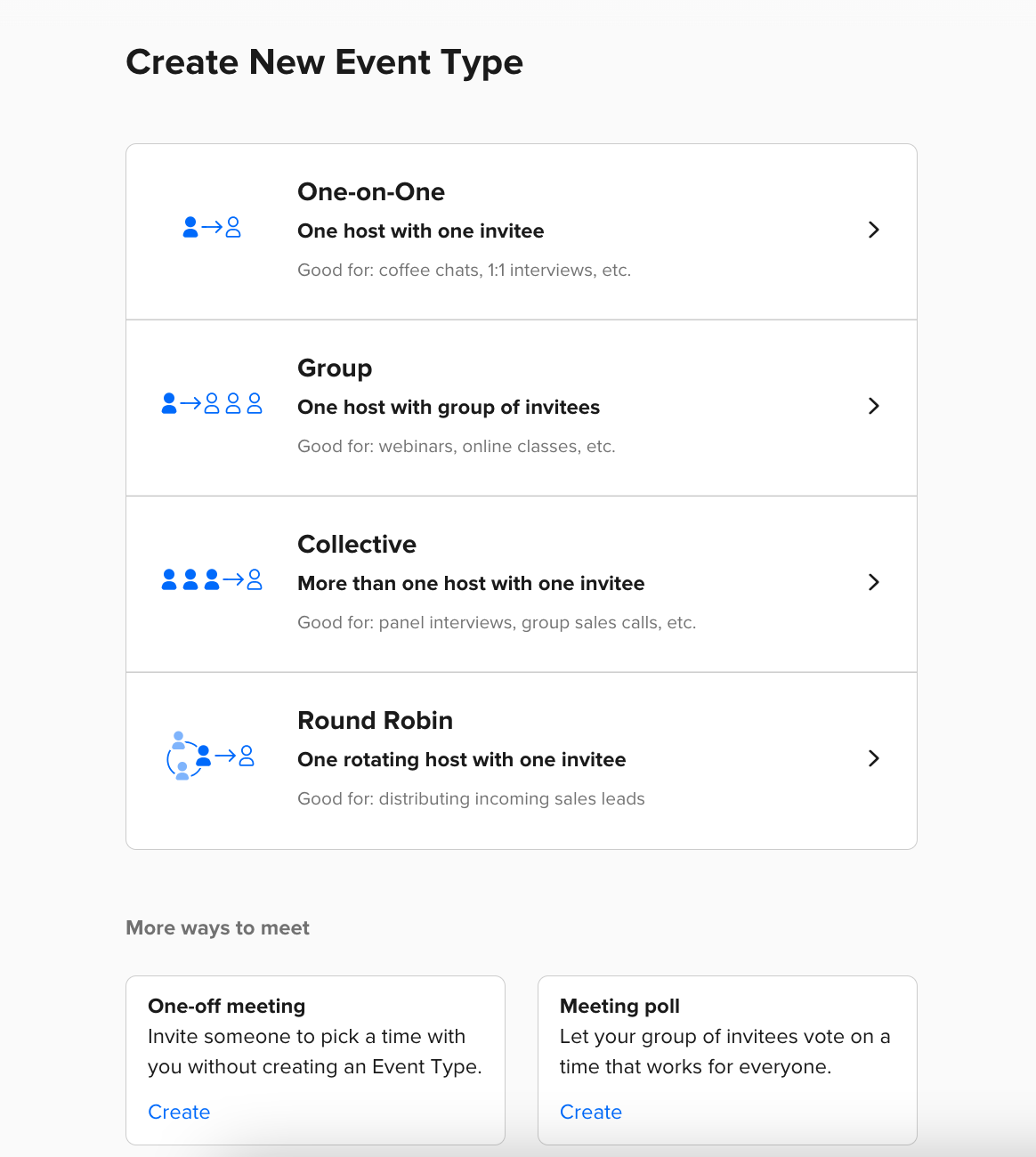
Switching to TidyCal allows you to do that immediately.
People who book can select up to x sessions at the same time of booking AND you can restrict this to be every Wednesday or every 15th of the money, or set it to ANY day.
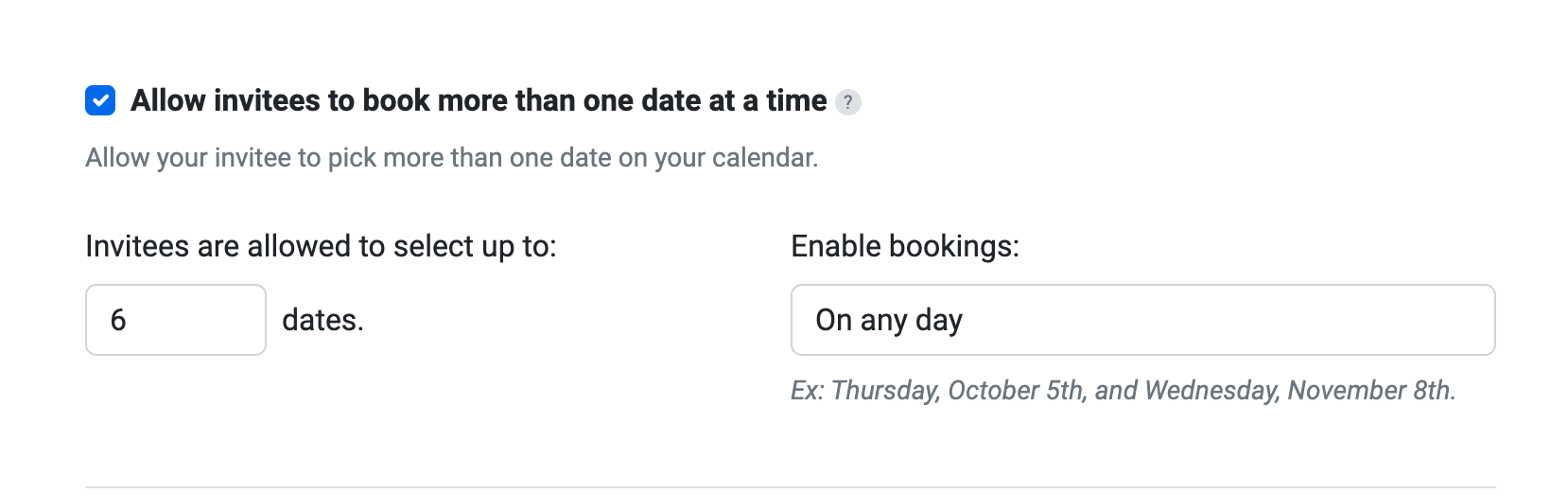
This now saves me hours of back and forth with strategy clients and is THE main reason why I switched from Calendly to TidyCal. Selling packages without a headache is now finally an option for me.
Is TidyCal better than Calendly?
This depends on you and your business. For me personally I was easily convinced to make the switch for these reasons:
- The lifetime plan removes $30 a month expense from my businesses.
- The package appointments cut out hours of annoying admin time every month, because clients can now schedule multiple appointments in the same booking.
- I know how to get around the lack of Google Analytics integration in Tidycal via Custom Booking Confirmation pages
Who will TidyCal work best for?
TidyCal is honestly best for coaches, content creators, course creators, freelancers and service-providers that work mostly by themselves.
Calendly is the better option for larger businesses with for example multiple sales people, because they offer the Round Robin appointment types (one sales person is randomly assigned to the person who booked the call according to their availability and the rules set in the account).
This is NOT possible in TidyCal and therefore renders TidyCal useless for teams.
How to sign up for TidyCal?
Signing up for TidyCal is easy.
Head over to AppSumo via this link and grab the lifetime deal before it’s too late.
Once you have the lifetime deal you will receive an email from AppSumo with a button that says “ACTIVATE” click that and follow the instructions. You will be prompted to either create a TidyCal account or to log into your existing one to upgrade it.
How to use TidyCal?
Once you have your lifetime deal, there are many ways in which you can use TidyCal in your business:
Connect your Calendar and set up your Availability
First things first you’re going to want to do some setup in your TidyCal Account. If you have already been using Calendly, TidyCal can actually migrate information from Calendly to TidyCal in one click, but you do need to go through all of the appointments and adjust their settings properly and make sure everything looks right.
If you haven’t used any scheduler before, then you can go and set up your schedule, connect your calendar and set up your appointment types.
Set up a free Discovery Call and a Coffee Chat
This lets potential clients and potential collaboration partners book calls with you directly from your website. It’s super easy for them to just find a suitable time on your schedule, and receive their booking links directly via Tidycal. Easy peasy!
Set up PAID client sessions
If you offer a service or consulting/strategy sessions, you can create these right in your TidyCal account and then start earning money. TidyCal also displays you the total amount of revenue you’ve generated in your TidyCal account in the top right corner which is a nice number to watch grow over time!
Organise a meeting using the Date Polls feature
Need to talk to your team? Why not schedule the next team meeting via the Date Polls feature to make sure everyone can attend this time! This will save you a lot of headache when coordinating multiple people with different calendars working across different time zones.
Get TidyCal now for free or a one-time purchase of just $29!
Keep those ongoing subscription fees in check!
Grab the AppSumo lifetime deal for TidyCal below before it’s gone:
0 Comments